Ask any sysadmin how their Tuesday went and you will hear the same story: SSH into server one, run six commands, SSH into server two, repeat, repeat, repeat. It works — until you forget the sixth command on server four, or a colleague makes a "small change" that only lands on half the fleet. This is exactly the problem Ansible was built to solve. It is not another tool to learn for the sake of it; it is the tool that turns "configure 20 servers" from a full afternoon of copy-paste into a single command that runs identically everywhere.
In this guide, we will cover what makes Ansible different from other automation tools, how to get started with inventories and ad-hoc commands, how to write your first real playbook, and the best practices that separate clean automation from a mess of untracked YAML. If you run more than a handful of Linux servers, this is the skill that pays for itself within the first week.
What Makes Ansible Different
The first thing that surprises people about Ansible is that there is no agent. Unlike Puppet or Chef, which require you to install and maintain a piece of software on every managed machine, Ansible connects over plain SSH — the same protocol you already use every day. The control node (the machine you run Ansible from) pushes instructions out to the managed hosts, executes them, and reports back.
This agentless design brings three practical advantages:
- Zero installation on target servers — no packages to deploy, no agents to keep updated, no ports to open beyond SSH.
- Push-based execution — you decide when changes happen, rather than waiting for an agent's next scheduled check-in.
- Python-only requirement — as long as the remote host has Python (which almost every Linux distribution ships by default), you are good to go.
Ansible is also written in YAML, a human-readable markup language, which means your automation is simultaneously your documentation. Six months from now, a new team member can open a playbook and understand exactly what it does — something that can rarely be said about a pile of shell scripts.
The Inventory: Your Server List
Before Ansible can manage anything, it needs to know what exists. That list lives in an inventory file — typically called `hosts` or `inventory.ini`. The simplest inventory groups servers by function:
```ini
[webservers]
web01.example.com
web02.example.com
[databases]
db01.example.com ansible_host=10.0.0.5
[all:vars]
ansible_user=deploy
ansiblesshprivatekeyfile=~/.ssh/id_ed25519
```
Groups make life dramatically easier. Instead of running a task against "every server I have", you target the `webservers` group and let Ansible handle the rest. You can even use dynamic inventories that pull host lists from AWS, DigitalOcean, or your own CMDB — a later upgrade, but worth knowing the pattern exists.
Ad-Hoc Commands: Quick Wins Before Playbooks
You do not need a full playbook to get value on day one. Ad-hoc commands let you run a single task across many hosts with one line:
```bash
Check disk space on every web server
ansible webservers -m shell -a "df -h | head -5"
Ensure ntp is installed everywhere
ansible all -m apt -a "name=ntp state=present" -bRestart a service on a specific host
ansible db01 -m service -a "name=postgresql state=restarted" ```The pattern is simple: `ansible
Your First Playbook
Ad-hoc commands are great for single tasks, but real automation lives in playbooks. A playbook is a YAML file that describes a desired state, and running it is as simple as:
```bash
ansible-playbook setup-nginx.yml
```
Here is a realistic first playbook that installs and configures Nginx on a group of web servers:
```yaml
- name: Configure web servers
hosts: webservers
become: yes
tasks:
- name: Install Nginx
apt:
name: nginx
state: present
update_cache: yes
- name: Copy the site configuration
copy:
src: files/default.conf
dest: /etc/nginx/sites-available/default
notify: reload nginx
- name: Ensure Nginx is running
service:
name: nginx
state: started
enabled: yes
handlers:
- name: reload nginx
service:
name: nginx
state: reloaded
```
Read it top to bottom and it reads like a recipe: install the package, copy the config, make sure the service runs. The `notify: reload nginx` line is a small gem — the handler only fires if the config file actually changed. No unnecessary service reloads, no alerts, no downtime.
Idempotency: The Superpower That Makes It Safe
Here is the concept that changes how you think about server management: idempotency. An idempotent task produces the same end state no matter how many times you run it. Run the playbook above once, or run it fifty times — the result is identical: Nginx installed, configured, and running.
Contrast that with a hand-written shell script:
```bash
apt install nginx -y
cp default.conf /etc/nginx/sites-available/default
systemctl restart nginx
```
The first run works. The second run works too, but it restarts Nginx needlessly — and if a colleague edited that config file by hand, your script silently overwrites their work. Ansible modules are built to check current state first: the `apt` module only installs when the package is missing, the `copy` module only reports a change when the file differs, and `service` only acts when the state does not match. This means automation becomes something you can run confidently in the middle of the day, not just during a carefully planned maintenance window.
You can even preview the impact with a dry run:
```bash
ansible-playbook setup-nginx.yml --check
```
The `--check` flag walks through every task and reports what would change — without changing anything. Combined with `--diff`, it shows you the exact config-file differences. This is the closest thing sysadmins have to a time machine, and it is free.
Organizing with Roles
As your playbooks grow past a few tasks, flat files become unreadable. That is where roles come in. A role is a self-contained directory with a standard structure:
```
roles/
└── nginx/
├── tasks/main.yml # what to do
├── handlers/main.yml # actions to trigger
├── templates/ # Jinja2 templates for configs
├── files/ # static files to copy
└── vars/main.yml # role-specific variables
```
Your playbook then shrinks to almost nothing:
```yaml
- name: Apply roles to web servers
hosts: webservers
become: yes
roles:
- common
- nginx
- firewall
```
Roles are reusable building blocks. Build a `common` role once (users, time sync, fail2ban, basic hardening) and every server you ever provision inherits it. The directory layout also gives you a natural place to keep templates — for example, an Nginx virtual host with variables for the domain name:
```jinja2
server {
listen 80;
servername {{ domainname }};
root /var/www/{{ domain_name }}/public;
}
```
Variables from the inventory, the playbook, or the role's `vars` file merge together cleanly, and Ansible's precedence rules are well documented — start simple, and only reach for the advanced layers when you actually need them.
Protecting Secrets with ansible-vault
Automation is useless if it leaks credentials. If your playbooks need database passwords, API keys, or SSH private keys, never store them in plain text. Ansible ships with a built-in vault that encrypts secrets with AES-256:
```bash
Create an encrypted file
ansible-vault create secrets.yml
Edit it safely later
ansible-vault edit secrets.yml ```Your playbook can then reference the encrypted file, and Ansible prompts for the vault password (or reads it from a password file in CI) only when it needs to decrypt:
```yaml
- name: Include vaulted secrets
include_vars: secrets.yml
```
For larger teams, look at `ansible-vault` combined with `ansible.cfg`'s `vaultpasswordfile`, or move secrets to a proper secrets manager such as HashiCorp Vault. The rule is simple: if a value is sensitive, it belongs in the vault — and the vault file itself belongs in a private repository, never next to your public playbooks.
Best Practices and Pitfalls
After a few weeks of real use, a handful of habits separate clean Ansible setups from painful ones:
- Keep playbooks in Git — every change is reviewable, reversible, and auditable. Your config drift problem becomes a pull-request problem, which is a much better problem to have.
- Use `state: present` / `state: absent` explicitly — never rely on default module behavior; make the desired state obvious.
- Run `--check` before real runs — especially on production hosts. It costs nothing and catches typos and wrong hosts.
- Pin the control node's Ansible version — Ansible 2.9 vs 8.x have real differences; keep your tooling reproducible with a virtualenv or a requirements file.
- Target groups, not individual hosts — if you catch yourself writing `hosts: web03`, ask whether `hosts: webservers` would be more honest.
- Beware the "works on my machine" playbook — test on one host first (`--limit web01`), then roll out to the fleet.
- Name every task — an unnamed task that fails at 2 AM is a puzzle; a named one is a sentence.
The most common pitfall for newcomers is treating Ansible like a fancier shell-script runner: throwing `shell` and `command` modules at everything. Push yourself to use the purpose-built modules (`apt`, `copy`, `template`, `service`, `user`, `lineinfile`) first. They give you idempotency and change reporting for free, and they handle edge cases your ad-hoc commands never will.
Conclusion
Manual server management does not scale — not to ten servers, and certainly not to a hundred. Ansible gives you a way to express your infrastructure as clear, reviewable, repeatable code: agentless by design, idempotent by construction, and friendly enough that your YAML doubles as documentation. Start with an inventory and one playbook for the task you repeat most often — installing Nginx, setting up users, hardening SSH. Then grow into roles, templates, and the vault as the automation proves itself.
The best part is the mindset shift. Instead of asking "what did I do to that server last month?", you ask "what does the playbook say the state should be?" — and that is a question with an answer you can run, review, and trust.
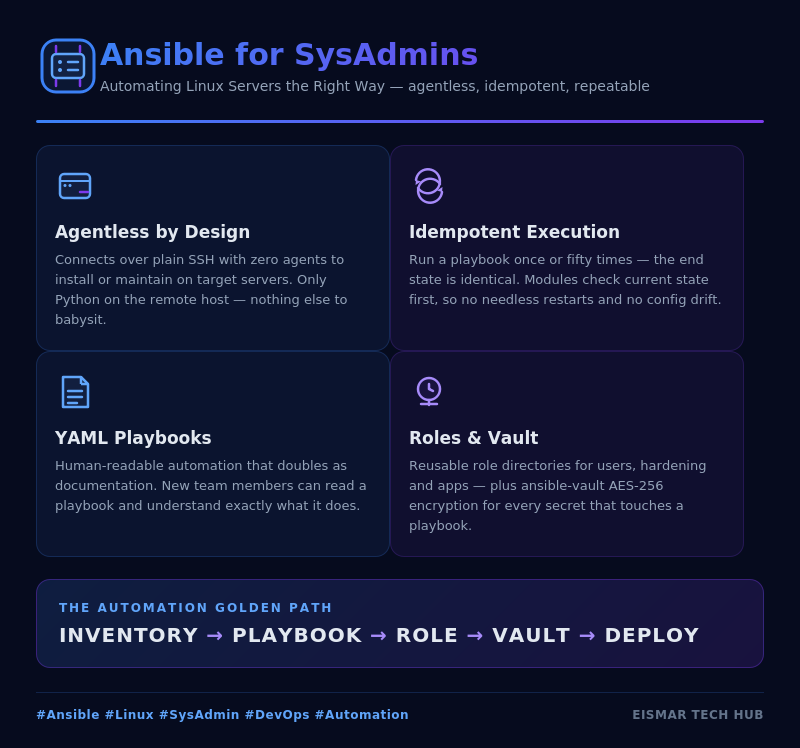
Infographic: Ansible for SysAdmins

💬 0 Comments