Let's be honest for a second. Open your browser right now. How many tabs do you have open? How many bookmarks? And be honest — when was the last time you actually cleaned that "Read Later" folder?
If you're an IT professional, sysadmin, or developer, I'm willing to bet your browser looks like a digital hoarder's paradise. And you know what? That's okay. Today, let's talk about the beautiful chaos that is every IT guy's browser bookmark situation — and maybe, just maybe, find a way out of it.
The Five Stages of Browser Bookmarks
Every IT professional goes through the same emotional journey with their bookmarks. Recognise any of these?
Stage 1: The Golden Age of Organisation
You just set up a new work laptop. Fresh browser, clean slate. You create neat folders: "Dev Tools", "Server Docs", "Tutorials", "Reference". Everything is beautifully categorised. You feel accomplished. You feel in control.
This lasts approximately three days.
Stage 2: The "I'll Sort It Later" Phase
You find an interesting article about Kubernetes networking at 2 AM. You bookmark it. But instead of putting it in the right folder, you use the Bookmarks Bar "just for now". Then another. And another. Before you know it, your Bookmarks Bar has 47 items and looks like a ransom note.
"Don't worry," you tell yourself. "I'll sort it all out this weekend."
Spoiler: you won't.
Stage 3: The Tab Hoarder Crisis
At some point, you discover the beautiful feature that is "Bookmark All Tabs". Suddenly, every research session ends with 15–30 tabs getting dumped into a folder called "To Read — March" (it's now July). You now have eight folders named "To Read — [Month]" and you haven't opened any of them since the day you created them.
Your browser's tab counter hits triple digits. You start closing tabs by squinting at the favicon because the title area is too small to read.
Stage 4: The Surrender
This is where you accept your fate. Your bookmarks are no longer a useful reference system. They are an archaeological record of everything you've ever been curious about since 2018. You stop trying to organise. You rely entirely on the address bar's autocomplete history to find anything.
"Why bother organising bookmarks when Ctrl+Shift+O exists?" you mutter, while scrolling through a wall of 500+ unsorted links trying to find that one Stack Overflow post about SELinux that saved your career.
Stage 5: The Phoenix (Optional)
Some of us eventually hit rock bottom. You realise your bookmark chaos is actively hurting your productivity. You spend a Sunday afternoon doing the unthinkable: a full bookmark audit. You delete 70% of them (you never needed that "How to Whistle with Your Fingers" tutorial). You reorganise the rest into a sane folder structure. You install a bookmark manager extension.
You feel reborn.
For about a week. Then it starts all over again.
The Classic IT Bookmark Folders (We All Have Them)
Let me describe some folders that exist in every IT professional's browser. If you don't have these, you're either lying or you haven't been in the industry long enough:
📁 "Linux Commands" — 89 bookmarks. You reference exactly three of them regularly: `grep`, `awk`, and `systemctl`. The rest are tutorials you bookmarked thinking "this will be useful someday."
📁 "Docker Stuff" — 45 bookmarks. Seven different Docker Compose guides. Four different "Docker for Beginners" articles. Two Dockerfiles you saved but have no idea what project they belong to.
📁 "API Docs" — 112 bookmarks. A mix of actual API documentation and blog posts titled "Building a REST API with [Framework Du Jour]". You maintain exactly one API in production.
📁 "Read Later" — 200+ bookmarks. The digital equivalent of that pile of books on your nightstand that you swear you'll read. The oldest entry is from 2019.
📁 "Homelab Projects" — 63 bookmarks. You have started exactly four of these projects. You have finished zero.
📁 "Career Development" — 28 bookmarks. Mostly LinkedIn articles and certification guides. You open this folder every six months when performance review season comes around.
📁 "Funny Memes" — 34 bookmarks. These are the only ones you actually revisit.
Why IT People Are Worse Bookmark Hoarders
There's a psychological reason why IT professionals are especially prone to bookmark hoarding. Our entire job revolves around information — finding it, understanding it, applying it. Every bookmark feels like an investment in future knowledge.
The problem is that bookmarking something and learning something feel the same to your brain. You get a little dopamine hit when you save a link, as if you've already absorbed the knowledge. This is called the "digital hoarding paradox" — the act of saving makes you feel productive, even though you haven't actually done anything.
As sysadmins and developers, we're also natural problem-solvers. Every bookmark represents a solution to a problem we might encounter someday. "What if the PostgreSQL replication breaks? I have that guide bookmarked!" Having that safety net feels good, even if the probability of needing it is close to zero.
A Practical Rescue Plan
If you're ready to escape the bookmark chaos, here's a realistic approach that doesn't require a full weekend audit:
Step 1: The Archive Migration
Create ONE folder called "Archive — [Year]". Move everything currently in your bookmarks bar, unsorted bookmarks, and "Read Later" folders into it. Everything. Now your active bookmarks are clean.
Step 2: Start Fresh
Only bookmark things you actually need this week. If it's not immediately useful for your current project, it goes in the archive. This is called "inbox zero for bookmarks" and it works.
Step 3: Monthly Purge
Set a recurring calendar reminder for the first Sunday of every month. Spend 10 minutes going through your active bookmarks. Delete or archive anything you haven't opened in the past month. Ten minutes. That's it.
Step 4: Use a Tool
Consider using a bookmark manager like Raindrop.io, Pocket, or even a self-hosted solution like Linkwarden. These tools have search, tagging, and archiving built in — way better than the browser's built-in bookmark manager.
The Bottom Line
Your messy bookmarks don't make you a bad IT professional. They make you a normal one. Every sysadmin, developer, and network engineer I know has the same chaotic bookmark situation. It's practically a rite of passage.
But if the chaos is actively slowing you down — if you're spending more time searching for that article than actually reading it — maybe it's time for a small clean-up. Start with the archive trick. Give yourself a clean slate. And remember: nobody has ever read all their "Read Later" bookmarks. Nobody.
Now if you'll excuse me, I need to go close the 47 tabs I opened while researching this article. 😅
Got your own browser bookmark horror story? I guarantee someone in the comments has more tabs open than you do. Drop your tab count below — let's see who's winning the chaos Olympics.
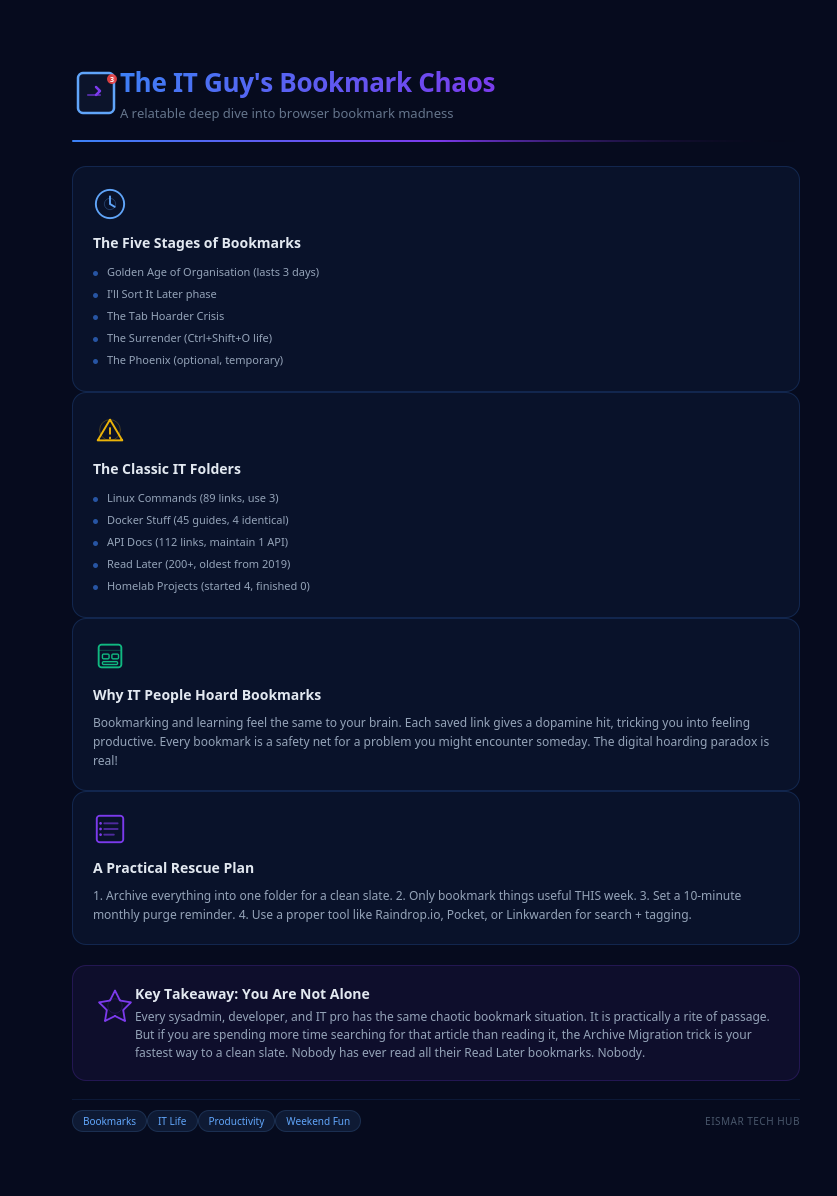
Infographic: 💻 Every IT Guy's Browser Bookmark Mess: A Love Story

💬 0 Comments