The Domain Name System (DNS) is one of those fundamental services that runs quietly in the background — until something breaks. Then suddenly, nothing works. No websites, no email, no API calls. Whether you're a junior sysadmin or a seasoned engineer, understanding how DNS really works and how to troubleshoot it is a non-negotiable skill. Let's break it down.
How DNS Resolution Actually Works
When you type `example.com` into your browser, your computer doesn't know where to find it. It needs an IP address — and that's what DNS provides. The resolution process typically goes through these steps:
- Browser Cache — Your browser checks if it already knows the IP from a recent lookup.
- OS Cache — Next, the operating system's DNS cache is checked (run `ipconfig /displaydns` on Windows or `sudo systemd-resolve --statistics` on Linux).
- Local Hosts File — The system checks `/etc/hosts` (or `C:\Windows\System32\drivers\etc\hosts` on Windows). This is a static override that bypasses DNS entirely.
- Recursive Resolver — If nothing local is found, the query goes to your configured DNS resolver (usually your ISP's or a public resolver like `8.8.8.8` or `1.1.1.1`).
- Root & TLD Servers — The resolver starts at the root servers, then asks the `.com` Top-Level Domain (TLD) server where to find `example.com`.
- Authoritative Nameserver — Finally, the TLD server points to the authoritative nameserver for `example.com`, which returns the actual IP address.
The entire process usually completes in milliseconds, thanks to extensive caching at every level.
```
Flush DNS cache on Linux (systemd-resolved)
sudo resolvectl flush-caches
Check DNS resolution with dig (most detailed)
dig example.comQuick query using a specific resolver
dig @8.8.8.8 example.com ```DNS Record Types You Must Know
Every sysadmin should recognise these essential record types:
| Record Type | Purpose | Example |
|---|---|---|
| A | Maps a hostname to an IPv4 address | `example.com → 93.184.216.34` |
| AAAA | Maps a hostname to an IPv6 address | `example.com → 2606:2800:220:1:248:1893:25c8:1946` |
| CNAME | Alias — one name points to another | `www.example.com → example.com` |
| MX | Mail exchange — routes email delivery | `example.com → mail.example.com (priority 10)` |
| TXT | Stores arbitrary text (SPF, DKIM, DMARC) | `v=spf1 include:_spf.google.com ~all` |
| NS | Nameserver — delegates a zone | `example.com → ns1.dnsprovider.com` |
| PTR | Reverse lookup — IP → hostname | `34.216.184.93 → example.com` |
Common DNS Issues & Troubleshooting
1. DNS Propagation Delay
You updated a DNS record hours ago, but the change isn't visible. This is usually TTL (Time To Live) — old resolvers still have the previous record cached.
```bash
Check the TTL on a record
dig example.com | grep -A1 "ANSWER SECTION"
Query the authoritative nameserver directly (bypasses cache)
dig @ns1.dnsprovider.com example.com ```Fix: Lower the TTL to 60–300 seconds before making changes, then raise it back after propagation.
2. Wrong Nameserver Delegation
Your domain registrar points to outdated or incorrect nameservers. Use `whois` to verify:
```bash
whois example.com | grep "Name Server"
```
The nameservers listed here must match what your DNS provider is configured to serve.
3. DNS Lookup Fails But Ping Works
This is usually a resolver configuration issue, not a connectivity problem:
```bash
Test using different resolvers
nslookup google.com
nslookup google.com 8.8.8.8
Check system resolver config
cat /etc/resolv.confOn systemd-resolved systems
resolvectl status ```If `ping 8.8.8.8` works but `ping google.com` fails, your DNS resolver is the problem.
4. Missing Reverse DNS (PTR)
PTR records are often overlooked but critical for email delivery. Without a matching PTR record, many mail servers will reject your email.
```bash
Check reverse DNS
dig -x 93.184.216.34
```
5. Large Response Sizes & EDNS
Some firewalls or old resolvers block large DNS responses (especially DNSSEC-enabled ones). This manifests as intermittent resolution failures — some queries work, others timeout.
```bash
Check for truncated responses
dig +dnssec example.com | grep "flags:"
Look for the "tc" flag (truncated)
```
DNS Security: A Quick Note
DNS was originally designed without security in mind. Modern best practices include:
- DNSSEC — digitally signs DNS records to prevent spoofing
- DNS-over-HTTPS (DoH) / DNS-over-TLS (DoT) — encrypts DNS queries so ISPs can't see what sites you visit
- Split-horizon DNS — internal and external queries return different IPs (important for private services accessible both inside and outside your network)
Key Takeaways
- DNS is a hierarchical, distributed system — understanding the resolution chain helps you debug faster
- TTL management is the key to smooth DNS migrations
- Always verify with multiple tools (`dig`, `nslookup`, `whois`) and multiple resolvers (`8.8.8.8`, `1.1.1.1`)
- Reverse DNS matters more than most people think — especially for email and logging
- Keep your hosts file clean and use DNS caches properly instead of hacking `/etc/hosts` for every little thing
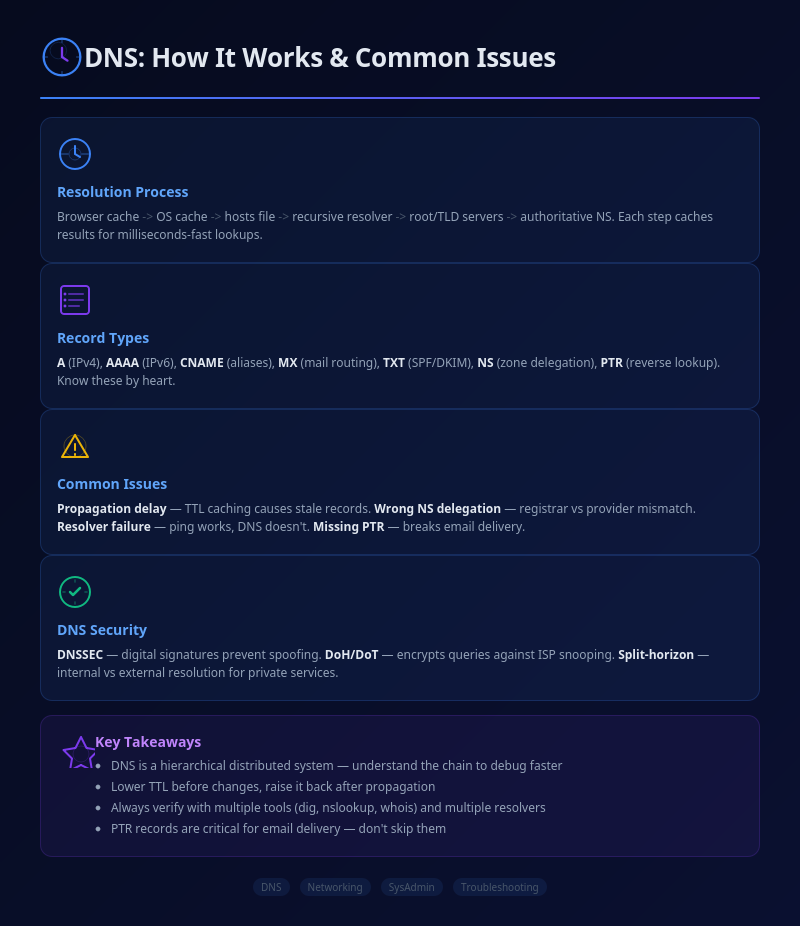
Infographic: DNS Resolution Hierarchy & Troubleshooting

💬 0 Comments